Custom Methodology

|
PMPilot is the AI assistant that understands how ITM Platform works and follows project-management best practices. With Custom Methodology, PMPilot also learns your organization's specific methodology and makes it available to the entire team right inside ITM Platform. |
Editing your methodology
How to access the Editor
- The ITM Platform administrator or PMO requests activation by writing to your Account Manager or to support@itmplatform.com.
- You'll receive a URL like
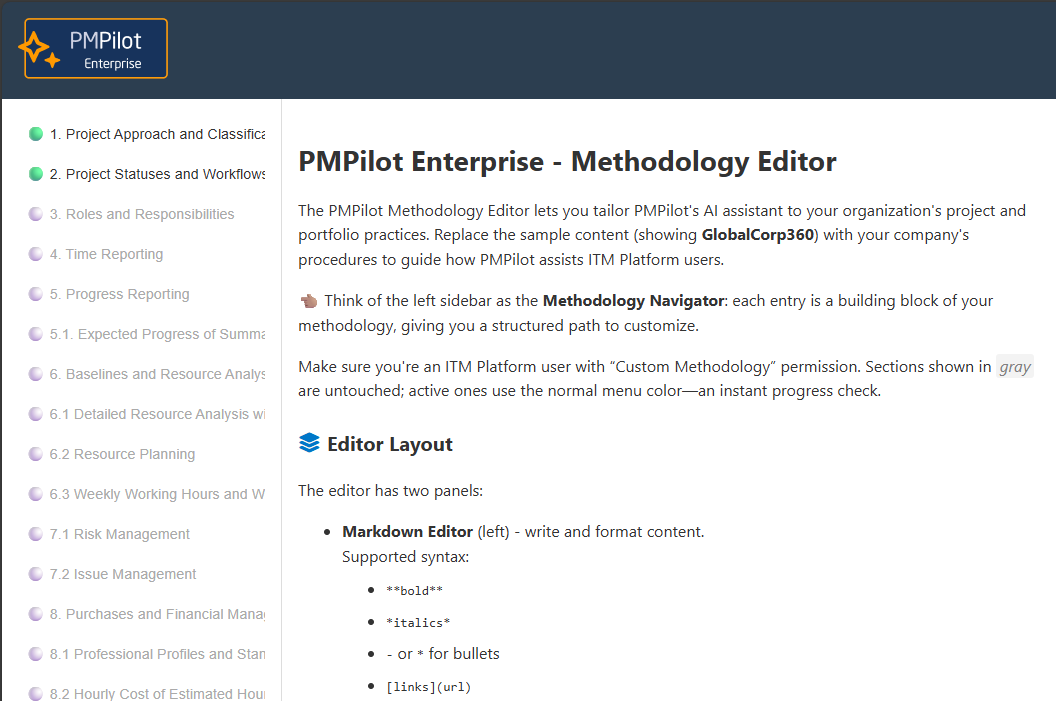
https://pmpilotenterprise.itmplatform.com/<your_company>and sign in with the same credentials you use for ITM Platform. - Replace the sample content in the template with your organization's information, and turn on Enabled for AI training in each section you want PMPilot to use. You don't have to fill out everything on day one.
- Saving does not update PMPilot by itself. When you're ready, and each time you change the methodology later, write to support@itmplatform.com. We'll train PMPilot with your content and let you know when it's available.
Guided template and training
- Practical sections: Approach & classification, Roles, Approval flows, Risk management, Resource planning, plus every project-management area already drafted for you to complete.
- Editable examples that make the initial formalization easy.
- Save ⇒ ask support to train PMPilot ⇒ answers are available to your users once we confirm.
Use for all users
- Ask in plain language – "Who approves an $8,000 purchase?"
- Methodology-aligned answers – The assistant shows the correct approval threshold and, when appropriate, displays the request template.
Frequently asked questions
Do I need a formal methodology before I start? No. Begin with the documentation you already have and refine it with the guided template.
Can I try it in demo mode? Yes. In your workspace, open Help › Demo Environment, ask PMPilot about the sample methodology "GlobalCorp360," and explore risk-free.
Does it cost extra? No. Custom Methodology is included in your ITM Platform subscription.
Suggested next steps
| Week | Milestone | Activities |
|---|---|---|
| 1 | Inventory | Gather your current SOPs, wikis, and presentations. |
| 2 | Template | Populate the relevant methodology sections and train the model. |
| 4 | Launch | Announce the rollout to the team and request feedback. |